


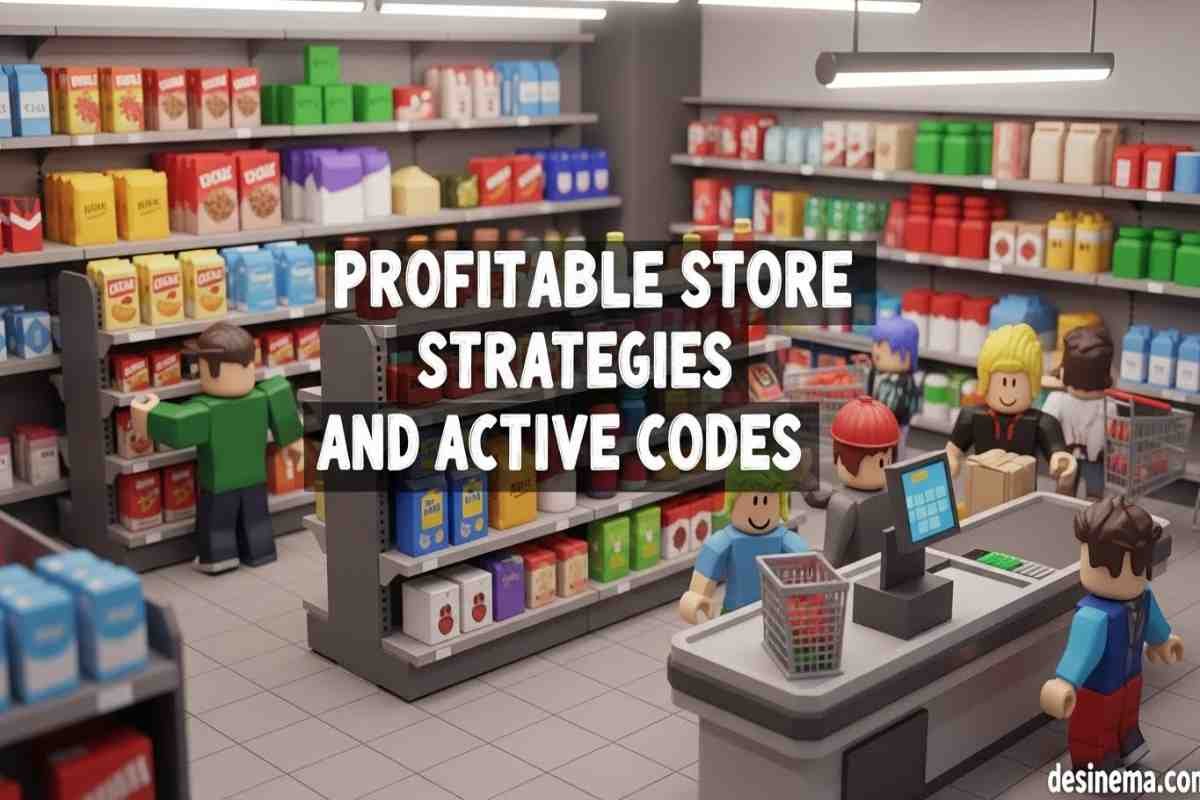
Are you ready to build your own supermarket empire in Roblox? Supermarket Simulator lets you experience the excitement of running your own grocery store, from stocking shelves to managing employees and maximizing profits. Whether you’re a complete beginner or looking to improve your existing store, this comprehensive guide will teach you everything you need to know to succeed in this popular Roblox simulation game.
Key Takeaways
- Start with cheap, fast-selling items like bread and flour to generate early cash flow
- Price items 3-4 times above cost for optimal profit without scaring customers away
- Hire cashiers and restockers once you reach store level 10 to automate daily tasks
- Invest in refrigerators when you can afford them to unlock profitable items like milk and cheese
- Use active codes like “Incredible” and “Unbelievable” for free cash boosts
- Keep shelves fully stocked to prevent customers from leaving angry
- Design your store layout with efficient customer flow in mind
How to Get Started in Supermarket Simulator?
When you first enter Supermarket Simulator, you’ll start with a small empty store and limited money. Your first task is to order products and stock your shelves to attract customers. The game begins with basic items available for purchase, and you’ll need to manage everything from ordering inventory to checking out customers at the register.
To begin, walk over to your computer and click on it to access the ordering system. Start with affordable items like bread and flour that sell quickly and provide steady income. After ordering, go outside to collect your delivery boxes, open them, and place the products neatly on your shelves. Set your prices strategically—too low and you’ll lose money, too high and customers won’t buy.
The early game focuses on learning the basic mechanics: ordering products, stocking shelves, setting prices, and managing the cash register. As you make sales, you’ll earn experience points and store level progression, unlocking new items and features for your supermarket.
For more Roblox game strategies, check out our Pro Hypershot Roblox Tips to improve your gaming skills across multiple Roblox experiences.
What Are the Best Items to Stock for Maximum Profit?
Choosing the right products to stock is crucial for maximizing your profits in Supermarket Simulator. Based on extensive gameplay data, some items consistently perform better than others in terms of profit margin and sales velocity.
Top Items for Beginners:
- Bread: Costs $11.88 for 12 loaves ($0.99 each), sell for $4.00 each. Bread sells consistently and provides good early-game profit.
- Flour: Costs $6.32 for 9 bags ($0.79 each), sell for $3.50 each. While profit per item is lower, flour sells very quickly.
- Oil: Costs $18.00 for 12 bottles ($1.50 each), sell for $4.50 each. Oil provides solid profit and sells at a steady pace.
Mid-Game Items:
- Cereal: Costs $35.88 for 12 boxes ($2.99 each), sell for $6.00 each. Though expensive to stock, cereal offers excellent profit margins.
- Dark Roast Coffee: Requires a $200 product license, costs $55.92 for 8 bags ($6.99 each), sell for $10.50 each. High profit item that doesn’t need refrigeration.
Refrigerated Items (Requires $400 investment for fridge + license):
- Milk: Costs $12.00 for 16 cartons ($0.75 each), sell for $2.50 each. Low profit but sells extremely quickly.
- Cheese: Costs $16.11 for 9 packs ($1.79 each), sell for $3.50 each. Good profit margin and popular with customers.
When selecting items, consider both profit margin and sales speed. Sometimes, faster-selling items with lower margins can generate more daily revenue than slower-selling high-margin products. For more insights on Roblox game strategies, our Roblox Game Codes guide offers additional tips for maximizing your gaming experience.
How to Make Money Fast in Supermarket Simulator?
Making money quickly in Supermarket Simulator requires smart strategies and efficient management. Here are the most effective techniques to boost your income and grow your supermarket empire rapidly.
Pricing Strategy: The sweet spot for pricing is typically 3-4 times your item cost. For example, if you buy bread for $0.99 per loaf, selling it at $4.00 gives you excellent profit while keeping prices reasonable for customers. Avoid pricing too high, as this will drive customers away, but don’t underprice either, or you’ll miss out on potential profits.
Stock Management: Always keep your shelves fully stocked. Empty shelves mean lost sales and angry customers. Check your computer regularly and order new stock before you completely run out. When deliveries arrive, process them immediately to minimize downtime.
Early Game Focus: In your first few days, concentrate on bread and flour. These items sell quickly and provide steady cash flow. Once you’ve built up some capital, invest in oil and cereal for higher profits.
Code Redemption: Don’t forget to use active codes for free cash. Currently, “Incredible” gives 1.3k cash and “Unbelievable” provides 1.2k cash. These boosts can significantly accelerate your early game progress.
Efficient Checkout: When working the register, scan items quickly and give change promptly. Long wait times cause customers to leave, resulting in lost sales. Consider hiring a cashier as soon as you reach store level 10 to automate this process.
For additional gaming strategies, our Admin Simulator Codes guide provides more tips on maximizing rewards in simulation games.
When Should You Hire Staff in Supermarket Simulator?
Hiring staff is a game-changing feature in Supermarket Simulator that allows you to automate tedious tasks and focus on growing your business. However, timing is crucial—you want to hire employees when it makes financial sense and when they’ll provide the most value.
Cashiers: You can hire your first cashier when you reach store level 10 and have completed 200 checkout transactions. Cashiers automate the checkout process, allowing you to focus on other important tasks like restocking and ordering. To hire a cashier, click on your computer, select “Management,” then click on the “Hiring” tab. You’ll also need to purchase additional cash registers from the furniture section for each cashier you hire.
Restockers: These employees automatically take items from your storage and fill empty shelves, preventing lost sales from out-of-stock products. Restockers become available at higher store levels and are invaluable once your supermarket grows larger.
Staff Management Tips:
- Don’t hire staff too early—wait until you have steady income
- Close your register when working as a cashier to avoid confusing customers
- Staff may work slower than you initially, so you’ll still need to help during busy periods
- Balance your workforce between cashiers and restockers based on your store’s needs
Hiring the right staff at the right time can dramatically increase your supermarket’s efficiency and profitability. For more Roblox gaming strategies, check out our Anime Champions Simulator Codes guide for additional gaming tips.
What Are the Best Store Layout Tips?
Your supermarket’s layout significantly impacts customer satisfaction, sales efficiency, and overall profitability. A well-designed store makes it easy for customers to find what they need and encourages them to buy more items during each visit.
Shelf Placement: Arrange your shelves in logical sections, grouping similar items together. For example, place all bread products in one area, canned goods in another, and refrigerated items near the back. This organization helps customers navigate your store more easily.
Customer Flow: Design your store layout to guide customers through all your product sections. Create clear pathways that lead from the entrance through various product areas and finally to the checkout registers. Avoid creating dead ends or confusing maze-like layouts that might frustrate shoppers.
Space Optimization: Maximize your available space by using efficient shelf arrangements and leaving adequate walking space between aisles. As you unlock new store sections, plan your expansion carefully to maintain good flow and accessibility.
Checkout Placement: Position your cash registers near the exit but with enough space to prevent crowding. Having multiple checkout stations becomes essential as your store grows and customer traffic increases.
Storage Location: Keep your storage area easily accessible but out of the main customer flow. You’ll need quick access to restock shelves, especially during busy periods.
A well-designed layout not only improves customer satisfaction but also increases your operational efficiency, allowing you to serve more customers and generate higher profits. For additional gaming insights, our Sonic Speed Simulator Controls guide offers more tips on mastering Roblox games.
How to Level Up Quickly?
Leveling up in Supermarket Simulator unlocks new items, features, and store expansions, making it essential for long-term success. Understanding how to gain experience points efficiently can dramatically accelerate your progression through the game.
Experience Point System: You gain experience primarily through sales transactions. Each item sold contributes to your experience, with higher-value items typically providing more XP. Additionally, completing daily tasks and achieving sales milestones can grant bonus experience.
Sales Volume Strategy: Focus on selling high volumes of items rather than just expensive ones. Sometimes, selling many lower-priced items quickly can generate more experience than fewer high-priced sales. Keep your shelves stocked and prices competitive to maximize sales volume.
Product Variety: As you unlock new product categories through leveling up, diversify your inventory. Offering a wider range of products attracts more customers and increases your sales opportunities, leading to faster experience gain.
Store Expansion: Each time you level up, consider investing in store expansions when they become available. Larger stores can accommodate more customers and product variety, creating a positive cycle of increased sales and faster leveling.
Efficient Operations: The more efficiently you run your store, the more sales you can process. Hire staff when appropriate, maintain optimal stock levels, and keep prices competitive to maximize your sales throughput and experience gain.
Advanced Tip: Once you reach higher levels, focus on unlocking and stocking the most profitable items available. These will generate the most revenue per sale, allowing you to reinvest in your store’s growth and continue leveling up quickly.
For more Roblox gaming strategies, our Tower Defense Simulator Codes guide provides additional tips for maximizing your gaming experience.
Frequently Asked Questions
What Are the Latest Supermarket Simulator Codes?
Supermarket Simulator codes are special text combinations that give you free cash to help grow your supermarket. As of September 2026, the active codes include “Incredible” which gives you 1.3k cash, and “Unbelievable” which provides 1.2k cash. To redeem these codes, open Supermarket Simulator in Roblox and tap the button on the left side of your screen. Copy and paste the code into the box and hit Enter to receive your free cash immediately.
Codes expire regularly, so it’s important to check for new ones frequently. Developers often release new codes when the game reaches certain milestones, such as like counts or update releases. Keep an eye on the game’s description and official social media channels for the latest code releases. Using these codes can give you a significant boost, especially in the early game when every dollar counts for expanding your supermarket inventory.
How Do You Optimize Prices for Maximum Profit?
Optimizing prices in Supermarket Simulator requires finding the perfect balance between profit margin and sales volume. The sweet spot for most items is pricing them 3-4 times above your cost. For example, if you buy an item for $1, selling it for $3-4 typically maximizes your total profit without driving away customers.
Different items have different optimal price points based on customer demand. Basic necessities like bread and milk can handle higher markups because customers need them, while luxury items might need more competitive pricing. It’s also helpful to round your prices to the nearest dollar or half-dollar to make calculating change easier and faster at the register.
Monitor your sales data regularly—if items aren’t selling well, consider lowering prices slightly. Conversely, if items fly off the shelves immediately, you might be able to increase prices slightly without losing sales. Remember that empty shelves represent lost sales opportunities, so it’s better to have slightly lower prices and steady sales than higher prices with stock sitting on shelves.
What Items Sell the Fastest in Supermarket Simulator?
Based on player experience and sales data, some items consistently sell faster than others in Supermarket Simulator. Bread and flour are among the fastest-selling items, especially in the early game. These basic necessities are in constant demand and provide steady cash flow for growing your supermarket.
Milk, despite having lower profit margins, sells extremely quickly once you unlock refrigerated items. Customers purchase milk frequently, making it a reliable seller even if the profit per carton isn’t as high as other items. Cheese also sells well and offers better profit margins than milk.
Oil and cereal are mid-range items that sell at a good pace while providing excellent profit margins. These items become available as you progress and level up your store. Dark roast coffee, while requiring a product license investment, sells consistently well and doesn’t need refrigeration, making it a profitable addition to your inventory.
The key is to maintain a balanced inventory of fast-selling items with reasonable profits and higher-margin items that sell more slowly. This combination ensures steady cash flow while maximizing your overall profitability.
When Should You Buy Your First Refrigerator?
Buying your first refrigerator in Supermarket Simulator is a significant investment that costs $400 ($200 for the refrigerator plus $200 for the refrigerated product license). The best time to make this purchase is when you have a stable income from your basic items and can afford the investment without jeopardizing your daily operations.
Typically, players should consider buying a refrigerator when they reach store level 15-20 and have accumulated at least $1,000-1,500 in savings. This ensures you have enough capital to purchase the refrigerator, license, and initial stock of refrigerated items while maintaining your regular inventory.
Refrigerated items like milk and cheese, while requiring this initial investment, can significantly boost your daily income. Milk sells extremely quickly despite lower profit margins, and cheese offers good profit with steady sales. The refrigerator also unlocks additional product variety, attracting more customers to your store.
Before buying your refrigerator, make sure you have efficient systems in place for managing your current inventory. The added complexity of refrigerated items can be overwhelming if you’re still struggling with basic stock management and customer service.
How Do You Avoid Common Beginner Mistakes?
New players in Supermarket Simulator often make several common mistakes that can slow their progress and reduce profitability. One of the biggest mistakes is pricing items incorrectly—either too low, leaving money on the table, or too high, driving customers away. Aim for 3-4 times your cost as a starting point and adjust based on sales performance.
Another common error is neglecting to keep shelves fully stocked. Empty shelves mean lost sales and frustrated customers. Make it a habit to check your inventory regularly and order new stock before you completely run out. When deliveries arrive, process them immediately to minimize downtime.
Many beginners also wait too long to hire staff. While you shouldn’t hire employees immediately, once you reach store level 10, hiring a cashier can dramatically improve your efficiency, allowing you to focus on other important tasks like restocking and ordering.
Poor store layout is another frequent mistake. Avoid creating confusing layouts or blocking customer pathways. Design your store with clear flow and logical product groupings to enhance the shopping experience and maximize sales.
Finally, don’t forget to use active codes for free cash boosts. These can provide significant help, especially in the early game when every dollar counts for expanding your supermarket operations.
Conclusion
Supermarket Simulator offers an engaging and rewarding experience for Roblox players who enjoy simulation and management games. By following the strategies and tips outlined in this comprehensive guide, you’ll be well-equipped to build a thriving supermarket empire from the ground up.
Remember to start with basic items like bread and flour to generate steady cash flow, price your items strategically at 3-4 times cost, and hire staff when you reach the appropriate store levels. Keep your shelves fully stocked, design an efficient store layout, and don’t forget to use active codes for free cash boosts.
As you progress through the game, continue to optimize your operations, expand your product variety, and improve your store layout. With patience and smart management, your supermarket will grow into a profitable enterprise that serves countless customers and generates substantial income.
Ready to start building your supermarket empire? Jump into Supermarket Simulator today and put these strategies into practice. For more Roblox gaming tips and strategies, explore our other guides including Pet Simulator 99 Codes and Strong Muscle Simulator codes to enhance your overall Roblox gaming experience.
